One record of who was trained
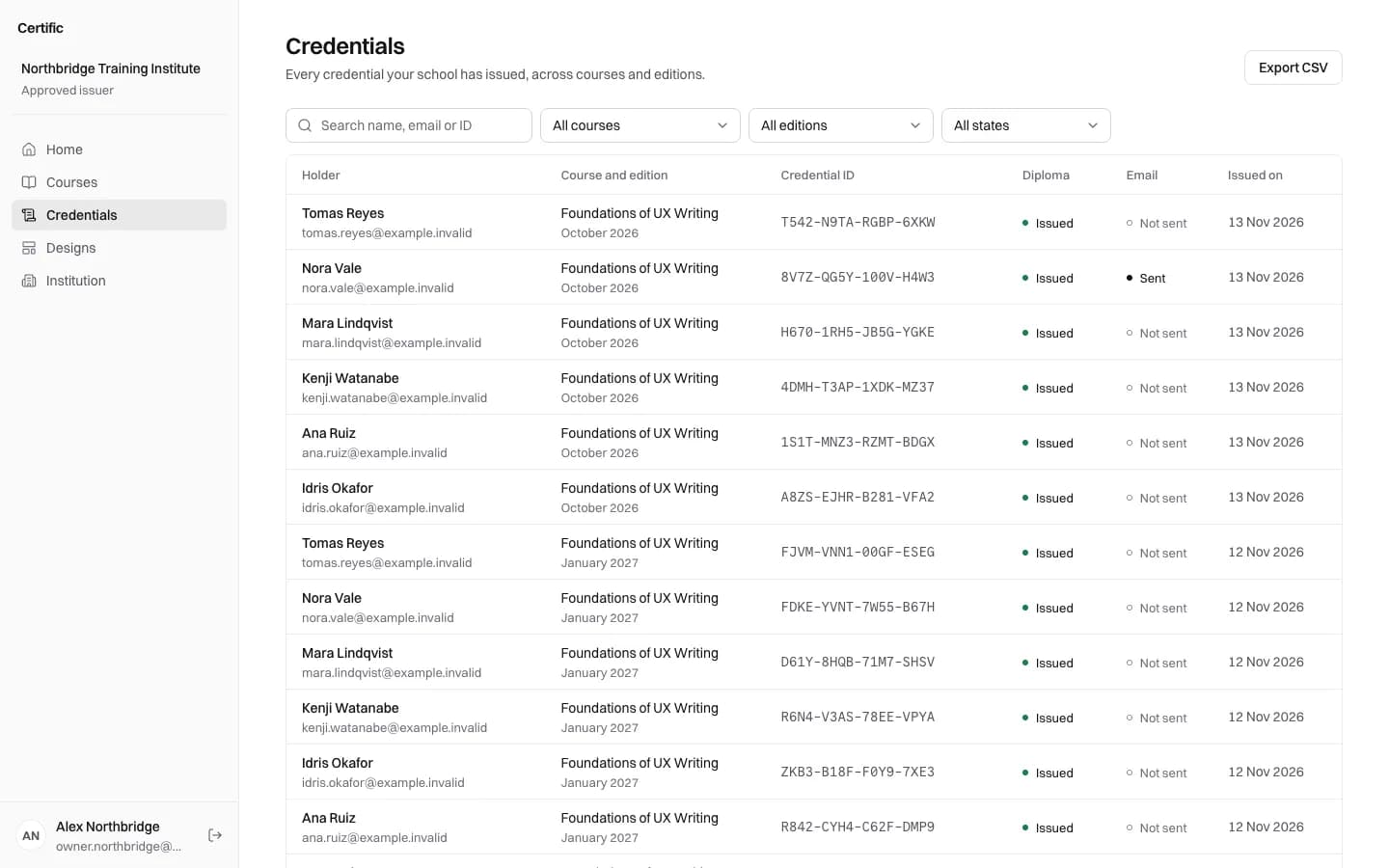
Every certificate, its history and its email in one list you can search by name, email or ID, filter by course and export.
Certific issues verifiable certificates for corporate training teams. Upload who completed each session, and every employee gets a certificate with a QR code, while you keep one searchable record of who was trained, in what and when.
Free for your first 50 diplomas each year.
A training team runs its yearly fire safety course in six sessions, each one an edition with its own dates. After each session, the coordinator imports the attendance list and issues the certificates.
When a client asks who has been trained, the team searches the Credentials list, filters it by course and exports it.
The school and the students in this example are fictitious; the screens are from the real product.
Every certificate, its history and its email in one list you can search by name, email or ID, filter by course and export.
Each certificate has a page showing that your organisation issued it and whether it is still valid. A revoked certificate says so on the same link.
Every run of a course is its own edition with its own dates, so each year's refresher keeps its own certificates.
No. Each certificate opens only from its own link or QR code; there is no public list of the people you have trained.
Not yet. Certific imports lists in Excel or CSV format, and coordinators sign in with an email and a password.
Not yet. Certificates have no expiry date, so recurring training is issued as a new certificate for each session.
Bring a course and a class list to a short call. You leave having seen your diploma, its QR code and the page that verifies it.
Request a demo